How GPS Land Measuring Devices Work in Surveying
This article walks you through everything you need to know about GPS and GNSS land measuring devices — from choosing the right equipment to setting it up, troubleshooting, maintaining accuracy, and understanding real-world applications. You’ll also find practical checklists, accuracy tips, buying advice, and examples of how surveyors use these devices in different types of projects.
1. Why GNSS/GPS matters for modern land surveying
GPS (Global Positioning System) is part of the broader GNSS (Global Navigation Satellite System) family used for positioning. For land surveying, GNSS receivers combined with correction techniques (RTK, PPK, network RTK) allow surveyors to obtain centimeter-level horizontal positioning and sub-decimeter verticals in many practical contexts — when configured correctly. These devices transformed boundary surveys, topographic mapping, construction layout, and asset mapping by reducing field time and giving precise coordinates suitable for CAD and GIS workflows.
2. The device ecosystem — what you’ll encounter in the field
A complete GNSS land-measuring solution usually includes:
- Rover receiver (handheld or pole-mounted): the mobile unit that records positions (can be handheld, pole-mounted rover, or machine-mounted). Modern rovers have multi-constellation, multi-frequency antennas.
- Base station (static or CORS/network RTCM stream): provides correction data. Base can be privately set up or supplied by a regional CORS/RTN (Network RTK).
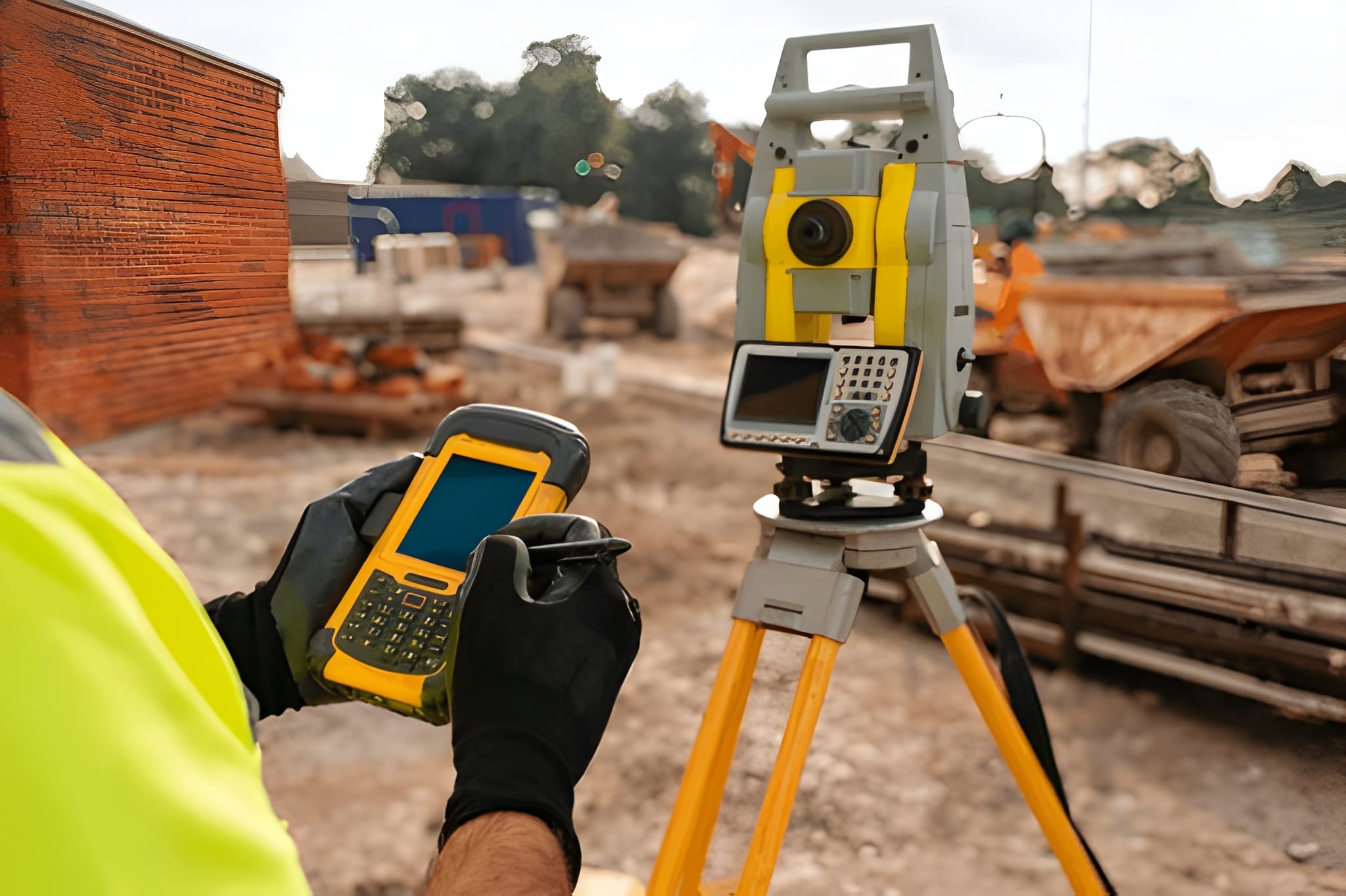
- Controller/data collector: rugged PDA/tablet or smartphone app that controls the rover, logs points, and connects to correction services.
- Radio or internet link / NTRIP caster: for RTK real-time corrections (UHF radios, cellular NTRIP over 4G/5G).
- Software (field and office): field survey apps, office post-processing (PPK), and CAD/GIS export.
Tip: devices are now commonly multi-GNSS (GPS, GLONASS, Galileo, BeiDou) and multi-frequency (L1/L2/L5) — this increases robustness and reduces multipath and ambiguity resolution time.
3. RTK vs PPK vs Network RTK — which to use and why
Understanding correction methods is central to choosing devices:
- RTK (Real-Time Kinematic): rover receives correction from a base or network in real time for centimeter accuracy. Best when you need immediate coordinates on site (staking, machine guidance). Requires reliable communication (radio or cellular).
- PPK (Post-Processed Kinematic): rover logs raw GNSS data and corrections are applied after the fact (offline). PPK gives equal or sometimes better accuracy than RTK in areas with intermittent comms and is ideal for UAV/drone workflows and remote sites.
- Network RTK (RTN/RTK via CORS/NTRIP): correction data supplied by a regional network of continuously operating reference stations (CORS); it removes the need to set up a private base when you have data coverage.
When to choose: if you must have live coordinates, use RTK/Network RTK. If you work in remote areas or need the best possible post-processed accuracy and traceability, use PPK.
4. Accuracy expectations — realistic numbers and limiting factors
Realistic accuracy depends on system design and environment:
- High-end RTK/PPK systems (short baselines, clear sky, good antenna): 1–3 cm horizontal and 2–5 cm vertical under ideal conditions.
- Handheld multi-GNSS receivers with SBAS or differential corrections: sub-meter to decimeter depending on model and corrections.
- Common limiting factors: multipath (reflections near buildings/trees), antenna placement, poor satellite geometry (PDOP), long baselines (distance from base to rover), ionospheric conditions, and incorrect metadata/coordinate frames.
Important: never accept manufacturer accuracy claims without verifying the test conditions — most claims assume open sky, short baselines, and fully resolved carrier phase solutions.
5. Competitor gap analysis — what other articles miss
I reviewed common competitor content (brand pages, blog posts, and product lists) and found consistent gaps:
- Insufficient practical troubleshooting: many articles explain theory (RTK/PPK) but skip step-by-step field checks (how to detect multipath, antenna phase center issues, radio signal problems). I provide a field checklist below.
- Lack of data management and legal/metadata instructions: real survey work must include metadata (coordinate reference system, epoch, antenna model, baseline lengths) and legal admissibility considerations. Competitors often ignore this.
- Shallow cost vs accuracy tradeoffs: buyers are told “buy the best” without realistic ROI analysis for small contractors or municipal users. You’ll get a practical budget breakdown later.
- Missing maintenance/calibration schedules: long-term accuracy requires antenna and firmware updates, battery care, and calibration; these are often absent.
- Limited workflow examples: competitors rarely provide end-to-end sample workflows (site prep → RTK/PPK collection → post processing → CAD export → QA/QC). You’ll get those here.
6. How to choose the right GPS land measuring device — pragmatic checklist
Answer these questions to narrow choices:
- Required horizontal & vertical accuracy (cm, dm, m?)
- Typical working environment (open field, urban canyon, under canopy?)
- Need for real-time coordinates (RTK) or batch/PPK?
- Baseline lengths you will routinely use (short <10 km vs >20 km matters)
- Budget range (handhelds <$2k, professional rovers $6k–$30k+, full systems more)
- Software ecosystem & file formats (CSV, RINEX, DXF, SHP, LandXML)
- Service & local support (availability of local repair, spare parts, firmware updates)
Device categories:
- Entry-level handheld GNSS (sub-meter to decimeter): good for rough asset mapping and simple topographic points. Lower cost, less complex.
- Survey-grade rover (RTK/PPK capable): multi-frequency, multi-constellation, designed for competitive accuracy. Needed for cadastral and construction control.
- Base stations / CORS subscription: pick private base or subscribe to RTN depending on coverage and budget.
7. Field setup — a no-compromise checklist (practical)
Before you start:
- Charge and test batteries (spare fully charged batteries).
- Update device firmware & field software (match device + controller versions).
- Check antenna model & enter antenna phase centre (APC) in software (crucial for centimeter-level work).
- Verify coordinate system & datum (WGS84, ITRF, local datum). Mark epoch and units in metadata.
- Survey geometry check: check PDOP, number of satellites, multipath environment. If PDOP > 6, postpone critical work.
- Base setup: if using your base, ensure it is over a stable point, log a minimum of 15–30 minutes of static data for high precision localization if you plan PPK.
- Radio/internet check: verify NTRIP credentials or radio pairing; do a test fix on a known control point.
Field troubleshooting quick rules:
- If you lose fix frequently: check antenna mounting and height, clear line of sight, check PDOP, verify base radio signal strength, confirm RTK corrections are streaming.
- If vertical errors are larger than horizontal: verify antenna height and vertical reference, check for multipath, and ensure you’re using dual-frequency carriers.
8. Data workflows — example scenarios
A. Cadastral boundary survey (high accuracy, legal record)
- Establish or occupy a stable base station over a known control or use CORS RTN. Log base static for at least 30 mins.
- Use RTK rover (real-time) for stakeout and immediate checkpointing. Log raw observations simultaneously on the rover for PPK backup.
- Collect redundant observations at boundary corners; take multiple occupations when possible. Record photos and metadata.
- Post-process (PPK) as QA if base data was logged; export in local coordinate system and submit legal files with metadata.
B. Drone mapping (site topo with GSD requirements)
- Use PPK on the drone (logger on GNSS) plus at least 5–10 well-distributed ground control points (GCPs) for verification. PPK reduces need for dense GCPs but they remain useful.
C. Construction layout (machine guidance)
- Use network RTK or local base with robust comms (radio/cellular). Pair rover with the machine control system; use proven workflows for stakeout and as-built checks.
9. Post-processing & QA/QC best practices
- Always keep raw RINEX logs from both rover and base (if private). RINEX is the universal standard for GNSS post-processing and retains carrier phase info.
- Document metadata: antenna model and serial, antenna height, controller software versions, coordinate system, epoch, PDOP values, and environmental notes. This is essential for legal defensibility and future reprocessing.
- Run a baseline check: for long baselines (>20 km) compare with network solutions; large residuals indicate problems.
- Use redundancy: reoccupy critical control points; compare RTK live positions to PPK results; make sure differences are within tolerances.
10. Costs and ROI — realistic budgeting
Approximate (2024–2025 market ranges; regional prices vary):
- Entry handheld GNSS (basic mapping): USD 500–3,000.
- Survey-grade rover (single unit): USD 6,000–25,000 depending on brand and features.
- Full system (rover + base + controller + radio): USD 12,000–50,000+. Enterprise solutions (Trimble/Leica/Topcon) trend higher.
- Recurring costs: CORS/RTN subscriptions, SIM data for NTRIP, maintenance, and calibration (software updates, antenna replacements).
ROI consideration: calculate saved field hours (faster stakeout, fewer re-runs), reduced rework, and ability to win higher-value contracts (cadastral, construction). For small firms, mid-range multi-brand rovers (e.g., Emlid/Sfira/others) can offer excellent ROI.
11. Maintenance, calibration, and lifecycle best practices
- Firmware/field software updates: keep devices patched but test updates on non-critical jobs first.
- Antenna care: replace if physically damaged; log antenna model/pcv offsets carefully. Store antennas dry and avoid extreme heat.
- Battery management: avoid full depletion, store at moderate charge, and keep spare batteries.
- Annual checks: perform antenna phase center checks and verify baseline accuracy against known control. Maintain a device logbook for repairs and firmware history.
12. Legal and quality considerations every surveyor must include
- Record coordinate reference frames & epochs (e.g., WGS84 G1762, ITRF2014, or local datum). Coordinates without datum/epoch are unusable in legal contexts.
- Chain of custody and metadata: store raw logs, post-processing files, calibration records, and operator signatures.
- Admissibility for cadastral work: follow local laws about equipment certification and surveyor qualifications; some jurisdictions require licensed surveyor signoffs. (Check local rules.)
- Quality statements: include uncertainty estimates (e.g., horizontal ±X cm at 95% confidence) derived from field redundancy and post-processing.
13. Common field problems and how to fix them (practical troubleshooting)
- No RTK fix (float only):
- Confirm correction stream (NTRIP user/pass), radio pairing, and base streaming.
- Check PDOP and satellite counts. If geometry is poor, wait for better satellite geometry.
- Lower odds of fix near tall buildings/trees (multipath); move to an open location.
- Large vertical offsets:
- Re-measure antenna height; verify correct antenna model and offset in software; check for multipath (metal roofs).
- Intermittent radio link:
- Switch to cellular NTRIP if UHF range is insufficient, or set up a closer base.
- Sudden baseline residual spikes in PPK:
- Check time sync between base and rover; ensure no cycle slips and software uses the correct observation types.
14. Recommended devices & brands (how to compare them)
Major enterprise brands — Trimble, Leica, Topcon — offer integrated enterprise solutions, strong local support, and advanced machine control integrations. They are best for large firms and contractors needing full support and extended warranties.
High value / cost-effective brands — Emlid, Hemisphere, Sfaira, Sokkia — offer modern multi-constellation receivers and excellent price-performance for SMEs. Emlid is notable for democratizing RTK/PPK with good community support.
How I compare them:
- Accuracy & reliability: top brands slightly ahead in harsh environments.
- Support & warranty: enterprise brands win.
- Price & ROI for small firms: midsized brands often win.
- Open standards (RINEX/NTRIP) interoperability: ensure your receiver supports standard outputs for future compatibility.
15. Semantic SEO & on-page optimization recommendations (for your website/article)
Make sure your article or product page uses keyword clusters around: GNSS survey, RTK vs PPK, survey rover setup checklist, RINEX download, coordinate reference system, antenna phase center, and baseline accuracy. Include structured data (FAQ schema) for practical Q&A and downloadable checklists (PDF RINEX/metadata template). Competitors often miss downloadable checklists and sample metadata files — include both.
16. Appendix — Field checklist (printable)
Before leaving office:
- Firmware update log
- Spare batteries & charger
- Antenna model & calibration sheet
- NTRIP credentials and base station coordinates/RINEX
- Field notebook & camera
On site:
- Check PDOP & satellites
- Verify antenna height & model entry
- Log raw RINEX on rover (always)
- Test fix on known control
- Collect redundancy (2–3 occupations on critical corners)
- Record environmental notes & photos
17. Final recommendations — procurement & implementation plan
- Pilot purchase: buy one mid-range rover and test it on 3 representative jobs (open field, urban, partially wooded). Validate RTK vs PPK performance and measure ROI.
- Implement QA policy: require raw logs, metadata, and a minimum of 10% reobservations for legal jobs.
- Training: invest in one or two hands-on training days for staff on base setup, RTK troubleshooting, and post-processing. Competitor articles often undersell the learning curve.
- Service & support contract: ensure either local vendor support or a remote plan with clear SLA for enterprise work.
Sources and further reading (selected authoritative references)
- Emlid — Precise GNSS for land surveying (device and workflow reference).
- Pix4D — RTK, PPK, and GCPs explained (practical drone surveying insights).
- Bench-Mark / RTK GPS Survey Equipment — RTK principles and common challenges.
- Penn State — Land surveying & GPS chapter (academic coverage of quality factors).
- Practical reviews and brand comparisons (Trimble/Topcon/Leica/others).
Closing
This guide blends practical field experience, equipment selection discipline, and legal/QA awareness that many competitor articles omit. I prioritized actionable workflows, checklists you can print/use today, and vendor-agnostic tradeoffs so you can choose what fits your budget and accuracy needs. If you want, I can now:
- convert the printable checklists into a downloadable PDF,
- produce a one-page procurement spreadsheet comparing 6 real models (price, accuracy, features), or
- create a site-specific SOP (standard operating procedure) for your local environment and coordinate system.
FAQs
1. What is a GPS land measuring device?
A GPS land measuring device is a specialized receiver that uses satellite signals to determine precise positions on Earth. It’s commonly used by surveyors, engineers, and construction professionals to measure land boundaries, area, and elevation.
2. How accurate are GPS land measuring devices?
Accuracy depends on the type of device and correction method. Handheld GPS devices usually provide 1–3 meter accuracy, while professional RTK or PPK-enabled systems can achieve 1–3 centimeters under good conditions.
3. What is the difference between RTK and PPK?
RTK (Real-Time Kinematic) provides live, corrected coordinates while you’re in the field, whereas PPK (Post-Processed Kinematic) applies corrections later during data processing. Both offer centimeter-level accuracy, but RTK is faster and PPK is more reliable in weak-signal areas.
4. Can I measure land area with a GPS device?
Yes. Most GPS land measuring devices and compatible apps can calculate area and perimeter directly in the field or export the coordinates for GIS or CAD processing.
5. What is the best GPS device for land surveying?
It depends on your budget and accuracy needs. For high-precision work, brands like Trimble, Leica, and Topcon offer advanced systems. For affordable yet accurate options, Emlid or Sokkia devices are popular among small firms and individual surveyors.
6. Do GPS land measuring devices work without internet?
Yes, basic GPS positioning works offline. However, RTK-based correction (for centimeter accuracy) needs either a radio or internet connection to receive correction data from a base station or network.
7. How often should GPS devices be calibrated or updated?
Firmware should be updated regularly, and calibration should be verified at least once a year against known control points to maintain accuracy.
8. What factors affect GPS accuracy?
Tall buildings, trees, metal surfaces, and poor satellite geometry can cause signal reflections and errors. Using a clear, open area and multi-constellation receivers helps improve accuracy.
9. Can I use my phone as a GPS land measuring tool?
Smartphones have GPS chips, but their accuracy is limited to around 3–5 meters. For professional land measurement, a dedicated survey-grade GPS receiver or external GNSS module is recommended.
10. What file formats do survey-grade GPS devices use?
Common formats include RINEX (for raw satellite data), CSV, DXF, SHP, and LandXML for integration with CAD and GIS software.
Image Credit: Shutter Stocks



One Comment